Features
Built like a television
Every decision in Currents answers the same question: what would a TV do?
Fullscreen
Surf like you mean it
Press up or down and you're on the next channel. No menus, no wall of posters. A banner tells you where you landed, what's on, and what's next, then gets out of the way.
Flick past ten channels and Currents starts one stream, for the channel you settled on. Your server never notices the journey.
Silver Basin
Live1994 · 8:00 – 10:05 PM
Next · The Quiet Coast at 10:05
Currents Premium
Bring back the commercial break
Point Currents at a Plex playlist of vintage ads, station bumpers, trailers, PSAs, whatever you collect, and it fills the minutes between programs the way a real station would. Landing mid-break instead of mid-menu is half of what makes it feel like television.
The schedule never bends for it: breaks are timed so the next program starts exactly when the guide said it would, and a clip that can't finish cleanly simply isn't started. Free Currents includes Countdown Only and No Breaks app-wide. Premium adds video clips and individual channel timing and sources.
Currents Premium
Build your own network in Channel Studio
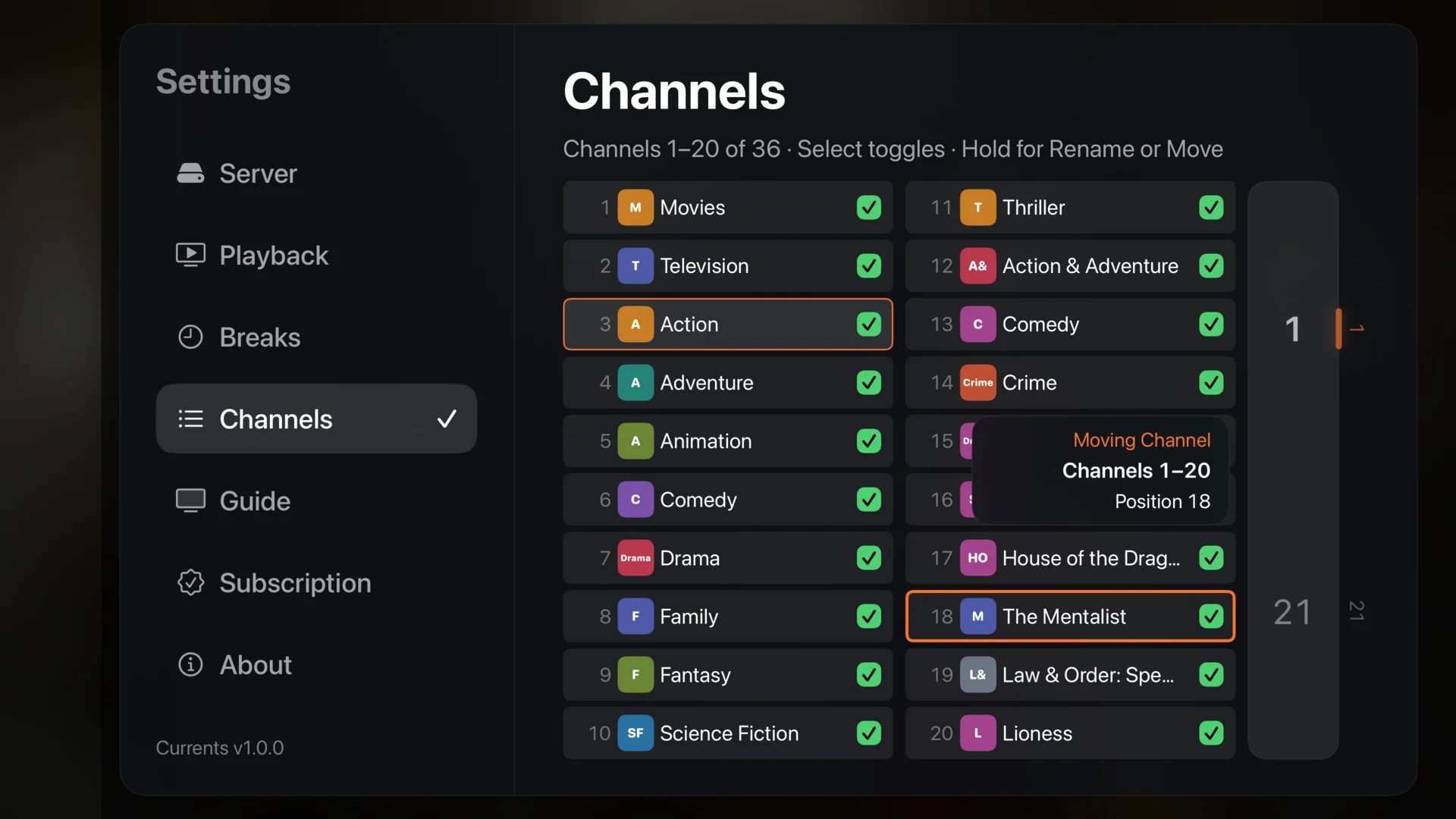
Open the browser editor on your trusted local network to create, edit, and duplicate channels. Choose programming from your existing movies, shows, and collections, upload artwork, and add on-screen channel branding. Selections use existing content; they are not automatic rules for future library additions.
Basic channel management stays free on Apple TV: hide, rename, number, and reorder your starter channels. Premium also unlocks your full eligible generated lineup, including channels built from Plex collections. Compare Free and Premium.
Channels from your own library
Currents reads your library and builds the lineup itself: broad channels that carry everything, genre and network channels, and dedicated channels for series deep enough to earn one. Watch a consistent, app-selected starter lineup of up to 30 channels free. See the full eligible lineup in the live guide and unlock additional channels, including Plex collection channels, with Premium.
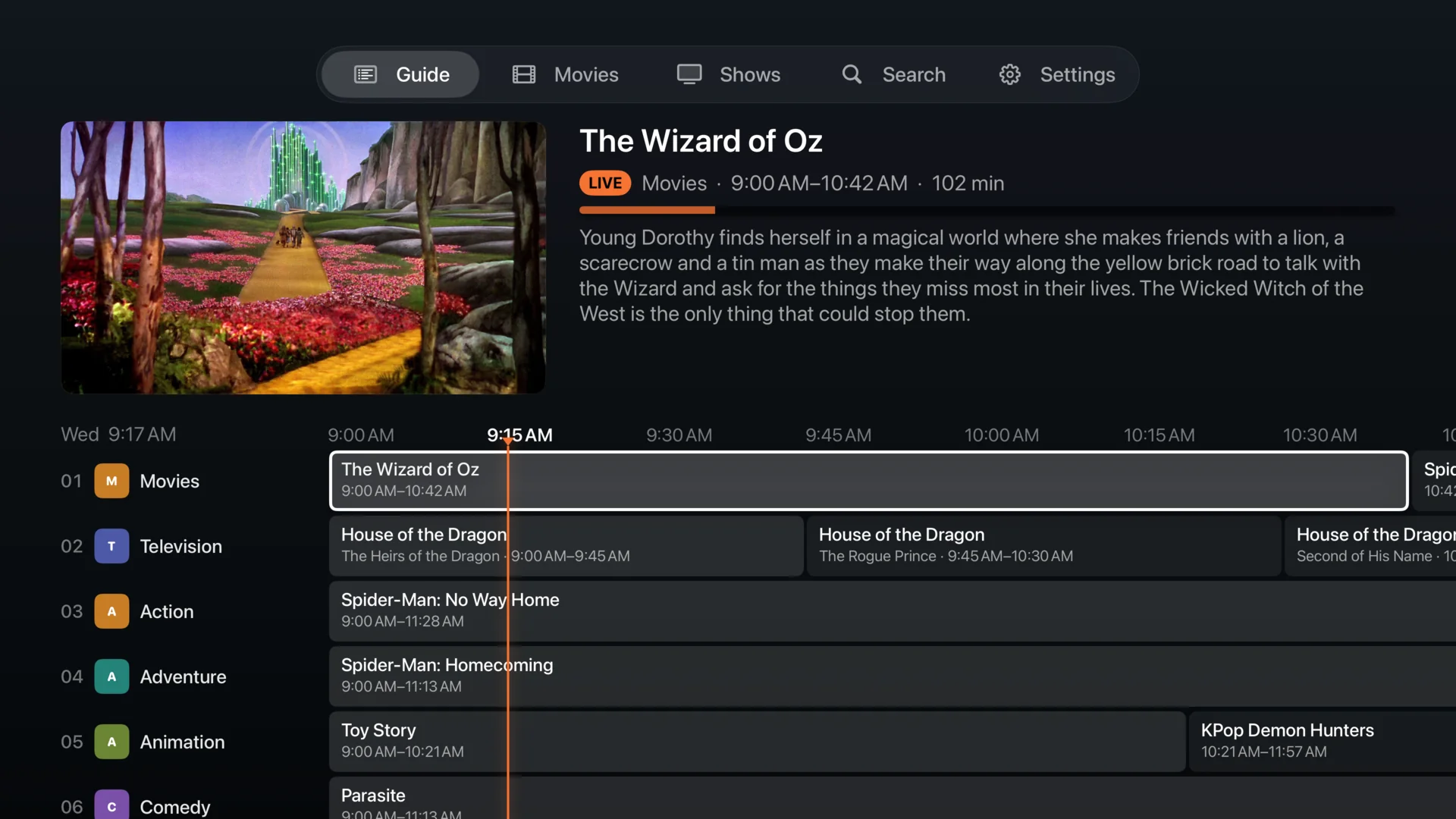
A real program guide
A full grid with a live preview of whatever you're tuned to, plot summaries on the focused program, and roughly a day of listings ahead. Premium channels appear dimmed and labeled in the same guide. Browsing their schedules keeps your current channel playing; upgrade options appear only when you select a locked channel.
Channel surfing
Press up and down in fullscreen to move through the lineup, with a channel banner that tells you what you just landed on and what's next.
Three schedule styles
No Breaks and Countdown Only are free. Premium adds Video Clips and per-channel timing and sources.
It survives a bad night
Streams adapt when the connection struggles, the app fails over to your server's local address if DNS dies, and a program that can't play shows a calm slate rather than breaking the schedule.
What's on, from the Home screen
The Apple TV top shelf shows what's airing across your channels right now. Pick one and it opens straight to it, already live.
Every channel gets an identity
A color and monogram, derived from the channel itself: the same twelve-color palette you see in the home page's guide. Rename a channel and the monogram follows; its color is permanent.

And the small things